The Playbook
Your Service Area Says Manitowoc. Your Customers Say Newton.

Ask a business owner around here where they work and you will usually hear “Manitowoc.” Ask their customers where they live and you get a different list: Newton, Cleveland, Mishicot, Kiel, Two Rivers, Valders, Francis Creek, Reedsville, Whitelaw, Collins. I grew up in Reedsville. Nobody I knew ever said they lived “in the Manitowoc area.” We said Reedsville.
That small difference matters more than most owners think. When someone in the Town of Newton needs a plumber, a cleaner or a roofer, they often type their own town into Google, or ask their phone for someone “near Newton.” If your Google profile, your website and your reviews only ever say “Manitowoc,” you are leaving it up to Google to guess that you also serve the township ten miles south.
The good news is that fixing this doesn’t take tricks. It takes being specific about where you actually work, in the places customers and Google both look.
Why “Manitowoc” Alone Isn’t Enough
Manitowoc County is mostly small towns, villages and townships spread out across farmland and lakeshore. People here identify with their own town. A homeowner in Mishicot may not think of themselves as living near Manitowoc at all; they might be just as likely to look toward Two Rivers or even Green Bay.
So when a business lists only the county seat, two things happen. Customers in the outlying towns don’t see their town mentioned and wonder whether you come out that far. And Google has less to go on when it decides which businesses to show for a search that names a smaller town. Neither problem is fatal, but both cost you calls you could be getting.
This is a common gap in small-town markets, and it plays out differently than it does in a big metro. We wrote more about that difference in our post on local SEO in Wisconsin, metro versus small town.
Step One: List Your Real Service Towns on Your Google Profile
If you go to customers (rather than having them come to a storefront), your Google Business Profile has a service area setting. Many owners set it once to “Manitowoc” and never touch it again.
Go back in and list the actual towns and areas you serve. Be honest. If you drive to Kiel and Valders every week, add them. If you’ve been to Collins once in five years, leave it off. The service area should describe where you really work, not everywhere you would theoretically go.
If you’re not sure how to set this up, or your profile has other loose ends, we walk through it in our guide to Google Business Profile setup for Manitowoc, Two Rivers and the Lakeshore.
Step Two: Mention Real Towns on Your Website, in Real Sentences
Your website should say where you work in the same plain language your customers use. Two simple ways to do it well:
- A short service-area section. A paragraph on your homepage or contact page that names the towns you cover, written like you would say it out loud: “We work throughout Manitowoc County, including Two Rivers, Mishicot, Newton, Cleveland, Kiel and Reedsville.”
- Job write-ups. When you finish a project you’re proud of, write a few sentences about it: what the customer needed, what you did, and the town it was in. “A homeowner in Francis Creek called about a basement that kept taking on water after heavy rain” is the kind of sentence that helps both a reader and a search engine.
Keep customer privacy in mind. Name the town, not the street or the family.
Step Three: Use Photos From Real Jobs
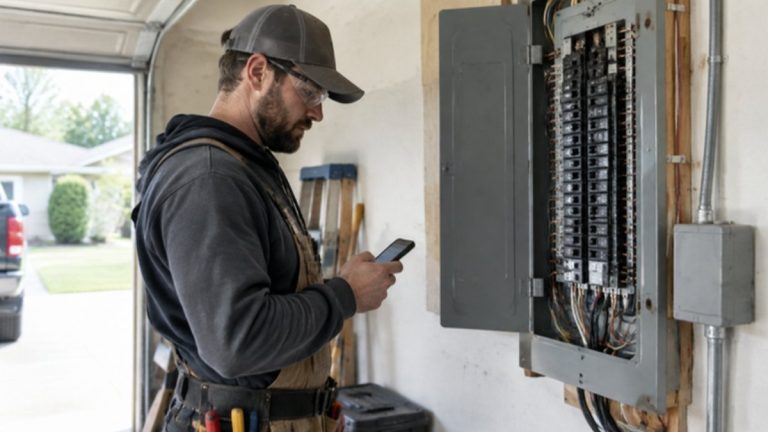
Stock photos of a smiling worker in a spotless city kitchen don’t tell anyone in Whitelaw that you’ve been in a house like theirs. Photos from your actual jobs do. Add them to your Google profile and your website regularly. The barn conversion, the lake cottage, the farmhouse with the old fuse box: those images look like the Lakeshore because they are the Lakeshore.
A quick caption that mentions the town and the type of work helps too. Again, keep it general enough that nobody’s home is identifiable.
Step Four: Let Reviews Mention Towns Naturally
When happy customers write reviews, they sometimes mention where they live: “Came all the way out to our place in Cleveland the same day.” Those mentions are helpful, and they come from the customer, which is what makes them believable.
What you should not do is script them. Don’t ask customers to include their town, don’t hand them sample wording, and never write reviews for them. That crosses a line, it tends to read as fake, and it isn’t something to risk your profile over. Just ask every customer for an honest review and let them say it their own way. Over time, the towns show up on their own.
What Not to Do: Thin Copy-Paste Town Pages
There is an old shortcut that still gets sold: make a separate page for every town, copy the same text onto each one, and swap out the town name. “Best Roofing in Kiel.” “Best Roofing in Valders.” “Best Roofing in Collins.” Same paragraphs, different word at the top.
Those pages don’t help customers, because there’s nothing on them a real person needs. They can also make your whole site look lower quality. If you want a dedicated page for an area, it has to earn its place with something real: actual jobs you’ve done there, local details, photos, and reasons someone in that town would care. Otherwise, a solid service-area section and good job write-ups will do more for you.
The same thinking applies to services. We explain why one strong page per service usually beats a pile of thin ones in one service, one page.
Start With Where Your Customers Actually Are
Before changing anything, take ten minutes with your last year of jobs and jot down which towns they came from. You may find most of your work is in two or three places you never mention anywhere. Which towns do your best customers actually live in? That’s the kind of question a marketing consultant in Manitowoc, WI should be asking before anything gets built.
From there, the work is straightforward: update the Google service area, add real towns to your website in real sentences, post photos from real jobs, and keep asking every customer for an honest review. It’s the same steady, honest approach we bring to SEO marketing in Manitowoc, WI, and it works because it describes your business the way your customers already do.
Common Questions
Why don’t I show up when someone searches for my service in a nearby town?
Often it’s because nothing about your business tells Google you work there. If your profile, website and reviews only mention Manitowoc, Google has little reason to connect you with a search naming Newton or Mishicot. Listing your real service towns, mentioning them on your website, and posting photos from jobs there gives Google and customers clearer signals.
Which towns should I add to my Google service area?
Only the towns where you genuinely work and are willing to travel. Look back at your past year of jobs and list where they came from. If you serve Two Rivers, Kiel and Valders regularly, add them. Don’t pad the list with places you rarely go. An honest service area sets the right expectations for customers and matches how your business really operates.
Should I make a separate page for every town I serve?
Usually not. Copy-paste town pages with only the name swapped don’t help customers and can make your site look lower quality. A strong service-area section plus real job write-ups that mention towns tends to work better. A dedicated area page only makes sense when you have real jobs, photos and local details to fill it with.
Can I ask customers to mention their town in reviews?
It’s best not to. Scripting reviews, even lightly, makes them sound less genuine and isn’t worth the risk to your profile. Just ask every customer for an honest review in their own words. Many people mention where they live on their own, especially when you traveled out to them, and those natural mentions are the ones that carry weight.
How do I write about jobs without sharing customer details?
Name the town and the type of work, and leave out anything personal. “A homeowner in Reedsville needed an older farmhouse brought up to code” is plenty. Skip street names, family names and anything that would let a neighbor identify the house. If you want to share more, ask the customer first and respect their answer.
Do photos really help me show up in small towns?
Photos from real jobs help people trust you, and they keep your Google profile active and current. A short caption mentioning the town and the work adds useful context. They won’t do the job alone, but alongside an accurate service area, real website copy and steady reviews, they make your business look like it truly works in the area.
I have a storefront in Manitowoc. Does this still apply?
Partly. If customers come to you, your address is what Google leans on most, and you may not set a service area. But mentioning nearby towns on your website, sharing job or customer stories from those places, and earning honest reviews from people across the county still helps outlying customers see you as their business too.
How long does it take to see a difference?
It varies, and anyone giving you an exact timeline is guessing. Profile changes can be picked up fairly quickly, while website updates and a steady flow of reviews and photos build over months. The best approach is to make the changes, keep adding real jobs and reviews, and check how calls and searches look over time.
Want to know which Lakeshore towns you’re showing up in, and which you’re missing? Book your free audit or call (920) 383-3387. We’ll look at your Google profile and website together and show you where the gaps are.

Michael Cummings
Founder of MCM Digital Products. Building and running growth engines for service businesses since 2011 - from Manitowoc, Wisconsin, where his neighbors have elected him to City Council three times.
More about Michael →
Run this play in your business
Want this working for you - without doing any of it yourself?
Every play on this site is something we build and manage for clients every day. Get your free Authority Blueprint and you'll see exactly where this applies to your business - with your real data.
Get My Free Authority BlueprintPrefer to learn it yourself? Start free in the MCM360 Academy →