The Playbook
Should I Use Call History in Google Business Profile? (2026 Answer)
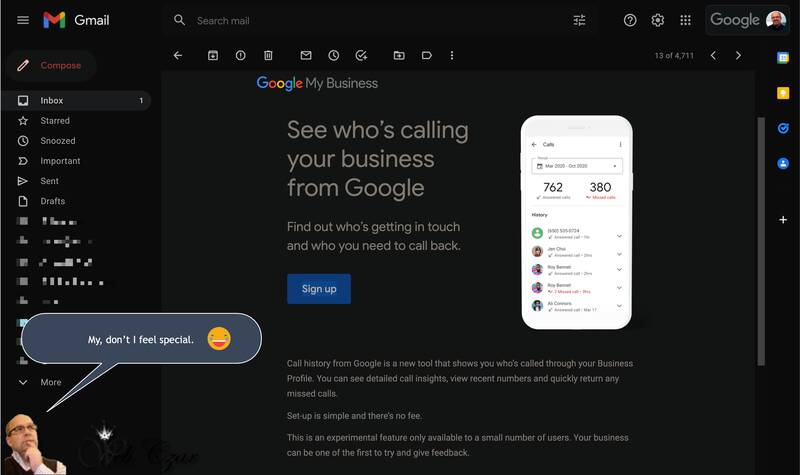
Updated July 2026 — Google has discontinued the Business Profile call history feature since this article was first published, so this update explains what happened and what to use instead to track calls from your profile.
When we first wrote about Google Business Profile‘s call history feature, it was a promising free tool: Google would log the calls that came from your profile so you could see exactly what your listing was generating. Business owners regularly ask us whether they should turn it on.
The 2026 answer is simple: you can’t. Google shut the feature down. But the question behind the question — how do I know which calls come from my Google profile? — matters more than ever, and there are better answers now than the original feature ever provided. Here’s the full picture.
What happened to call history in Google Business Profile?
Google discontinued the call history feature (along with its built-in chat feature) on July 31, 2024. Call history had been a US-only feature that routed profile calls through a Google forwarding number so it could log them for you. When Google retired it, businesses were given until August 30, 2024 to export their historical call records through Google Takeout — a window that’s long since closed.
Google never gave a detailed public reason, but the pattern fit a broader cleanup: around the same time it also removed the chat/messaging feature, retiring tools that saw limited adoption. Whatever the motive, the outcome for business owners is the same: the free, built-in call log is gone, and it isn’t coming back.
To be clear about what still works: customers can absolutely still call you from your Business Profile. The call button remains one of the most-used features in local search. What disappeared is Google’s record of those calls.
Can I still see anything about calls in my profile’s reports?
Yes — one thing. The Performance report in your Google Business Profile still shows a “Calls” metric: the number of times people tapped the call button on your profile. That’s genuinely useful directional data, and you should check it monthly.
But understand its limits. It counts taps, not conversations. It can’t tell you whether the call was answered, how long it lasted, whether it was a new customer or a telemarketer, or whether it turned into a job. A month with 80 call-button taps and a month with 80 booked appointments are very different months, and the built-in metric can’t tell them apart.
What should I use instead to track calls from my profile?
The businesses that solved this well use one (or a combination) of three approaches:
Call tracking numbers
Call tracking services give you dedicated phone numbers that forward to your real line while logging every call: source, duration, caller ID, and usually a recording and transcript. You place one tracking number on your Google Business Profile, a different one on your website, another on your ads, and suddenly you know exactly where every call originated.
One important detail for local SEO: set the tracking number as your profile’s primary phone number and your real business line as an additional number. That keeps Google’s records connected to your true number and protects your listing’s consistency across the web. Done correctly, call tracking doesn’t hurt your local rankings — done carelessly, mismatched numbers can.
UTM-tagged website links
Your profile’s website button should link to your site with UTM tags — small labels added to the link that tell Google Analytics the visit came from your Business Profile. This doesn’t track phone calls directly, but it tracks everything else profile visitors do: form fills, quote requests, online bookings. Paired with call tracking, it gives you the complete profile-to-revenue trail.
The low-tech option: just ask
Smaller operations can start by simply asking every caller, “How did you find us?” and tallying the answers. It’s imperfect — customers often say “Google” when they mean anything from maps to ads — but it’s free, and it’s far better than guessing.
Why does call tracking matter so much for proving ROI?
Because for most local businesses, calls are the business. Contractors, dentists, repair shops, law offices — the phone ringing with qualified callers is the whole point of marketing. If you can’t attribute calls, you can’t answer the only question that matters: is this working?
With real tracking in place, you can see how many calls your Business Profile drove, how many were substantive, and how many became booked jobs. Now your marketing isn’t a leap of faith — it’s a line item with a return. It also exposes problems you’d otherwise never see: calls ringing out during lunch hours, after-hours callers getting voicemail and calling a competitor, or a surge of calls after a review push that proves the effort paid off.
What’s the bottom line for 2026?
Google’s built-in call history is gone, and the taps-only metric that remains can’t prove value on its own. If your phone is how customers reach you, put proper call tracking and tagged links in place. It’s inexpensive, it protects your local SEO when set up correctly, and it turns your Business Profile from a mystery into a measurable asset.
This is also exactly how we operate at MCM Digital Products. Our Google Business Profile management and reporting show clients precisely which calls and leads their profile generates each month — tracked calls, form fills, direction requests, the works — so there’s never any guessing about what the marketing is earning. If you’d like that kind of clarity on your own numbers, reach out. We’ll show you what your profile is really producing.
Common Questions
What is call history in a Google Business Profile?
It was a log of calls that came from the call button on your listing — the number that dialed and when. It never dialed for you or changed your phone system. Google adds and retires reporting features on a regular basis, so rather than planning around any one of them, open your own profile and see what call reporting is available to you today.
What call data can I actually get from my listing?
At minimum, Google’s performance reporting shows how many people tapped your call button over a date range. That is a count, not a list — no names, no numbers, no call length. It tells you the listing is producing calls. It will not tell you which call turned into a paying job. For that, you need tracking on your end.
Does using call reporting affect my rankings?
No. Turning a call reporting feature on or off is not a ranking factor. Google ranks local listings on relevance, distance and prominence, which comes down to your categories, reviews, photos, hours and website. Call reporting is a measurement tool, not a signal. Use it if you want the numbers. Skip it and your map position stays the same.
Can I put a call tracking number on my Google listing?
You can, and there is a safer way to do it. Use the tracking number as your primary number and keep your real main line listed as an additional number on the profile. Swapping your real number out completely is what causes problems. Check what phone fields your profile currently offers before you change anything.
Will a tracking number mess up my NAP consistency?
It can. Your name, address and phone number need to match across your website, your listing and the directories you are on. If a tracking number lives on Google and a different number lives everywhere else, you have split your own identity across the web. Keeping your real line on the profile as an additional number protects you. If that cleanup sounds like a headache, skip tracking numbers.
Do missed calls show up anywhere?
Not from Google. Google counts taps on the call button, not what happened after the phone rang. If nobody picked up, that still counts. Missed calls only show up if something on your end is catching them, like your phone system, a tracking line, or an AI receptionist answering while you are on a roof or under a sink.
Is Google recording my phone calls?
No. Google counts calls; it does not record audio or listen in. Recording only happens if you set up a system that does it on purpose. If you go that route, know that consent rules for recorded calls vary by state, and some require every party to agree. Check your own state’s rules first, and tell callers when a call is recorded.
Is call tracking even worth it for a small shop?
Often, no. If you run one truck and already ask every caller how they found you, tracking adds cost and a consistency risk for information you already have. It earns its keep when you are spending money in several places at once and cannot tell which one is working. Start by asking. If you want a second opinion, call MCM Digital Products at (920) 383-3387.

Michael Cummings
Founder of MCM Digital Products. Building and running growth engines for service businesses since 2011 — from Manitowoc, Wisconsin, where his neighbors have elected him to City Council three times.
More about Michael →
Run this play in your business
Want this working for you — without doing any of it yourself?
Every play on this site is something we build and manage for clients every day. Book a free audit and I'll show you exactly where this applies to your business — with your real data.
Get My Free Business AuditPrefer to learn it yourself? Start free in the MCM360 Academy →